Please allow ~4-6 weeks to dispatch from Australia for quality control. Only 4 devices per customer may be shipped each day, so orders placed for more than 4 devices will be shipped over multiple days.
Products containing Lithium-Ion batteries (laptops and smartphones) are subject to extra safety requirements and are experiencing further delays.
If you are ordering a device that does not include a Windows 11 licence as standard, please check Microsoft's minimum system requirements to confirm if it can be upgraded later should you wish to do so.
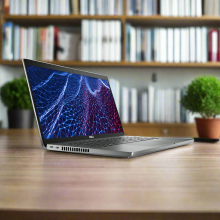
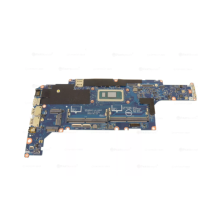
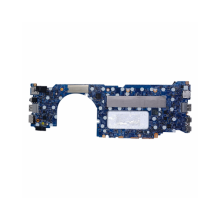
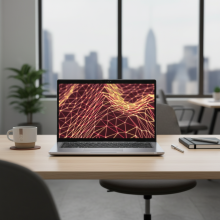
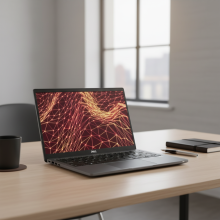
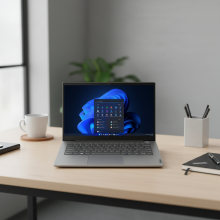
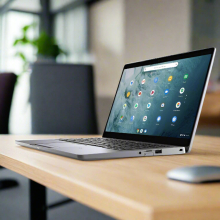
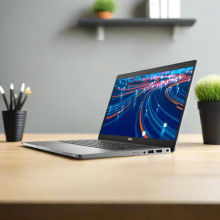
Product images are for illustrative purposes only and may contain AI-generated content. They do not represent the exact product that is subject to the cosmetic grading policy detailed here.


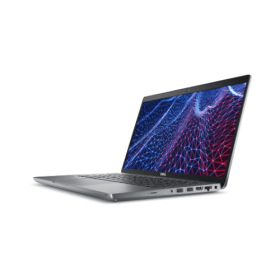


Dell Latitude 5430 Business Laptop — 12th Gen i5-1235U, 16GB DDR4, 256GB NVMe SSD, 14" FHD Touch, WiFi 6E, Windows 11 Pro
The Dell Latitude 5430 is a premium 14-inch touchscreen business laptop professionally refurbished by Reboot IT, powered by a 12th Gen Intel Core i5-1235U 10-core processor, 16GB DDR4 memory, and a fast 256GB NVMe SSD — running Windows 11 Pro out of the box. Sourced from corporate fleets, rigorously tested, and backed by a 12-month warranty with free Australian shipping.
Why the Dell Latitude 5430 Is the Smart Business Laptop Choice
- 12th Gen Intel Core i5-1235U — 10 cores, up to 4.4GHz: The Alder Lake hybrid architecture combines 2 Performance cores and 8 Efficiency cores with Intel Thread Director, delivering responsive multitasking and snappy application launches while managing background tasks efficiently — all at a 15W TDP for excellent battery life.
- 16GB DDR4-3200 RAM — ample headroom for business: Comfortably run Microsoft 365, CRM software, multiple browser tabs, Zoom calls, and cloud sync clients simultaneously without slowdowns. 16GB is the sweet spot for modern professional workloads.
- 256GB NVMe SSD — boots in under 15 seconds: PCIe NVMe storage delivers read speeds several times faster than SATA SSDs — Windows 11 Pro boots in under 15 seconds and applications open instantly, improving daily productivity from day one.
- 14" FHD Touchscreen with anti-glare coating: The 1920×1080 WVA panel at 300 nits combines responsive touch input with anti-glare treatment — ideal for presentations, digital signatures, document review, and comfortable viewing under office or fluorescent lighting.
- Dual Thunderbolt 4 — 40Gbps, dual 4K displays: Two Thunderbolt 4 USB-C ports support 40Gbps data transfer, dual 4K external monitors, Power Delivery charging, and docking station connectivity — one cable to your desk, everything connected.
- Intel Wi-Fi 6E AX211 + enterprise security: Wi-Fi 6E delivers faster speeds and lower latency in congested networks, paired with Bluetooth 5.2. TPM 2.0, IR camera for Windows Hello facial recognition, and a privacy shutter round out the enterprise security package.
Performance in Daily Business Use
The i5-1235U's hybrid architecture genuinely changes the daily computing experience. The two Performance cores handle demanding single-threaded tasks — Excel calculations, PowerPoint rendering, PDF exports, and application launches — while eight Efficiency cores manage email syncing, cloud storage, antivirus scans, and background updates without impacting foreground performance. In practice this means a laptop that stays responsive even when you've loaded it up with a full day's work: 20-tab browser sessions, a Teams or Zoom call, Office 365, and your CRM open simultaneously.
The 256GB NVMe SSD transforms everyday interactions. Boot times sit under 15 seconds, Microsoft Office launches in 2–3 seconds, and large file transfers complete in moments. Combined with 16GB DDR4, the system handles virtual machine light usage, data analysis in Excel, and multi-application workflows that would bring an older business laptop to its knees.
The touchscreen display is genuinely useful for business, not just a checkbox feature. Reviewing and annotating PDFs, navigating presentations in tablet mode, and using touch-optimised apps all benefit from the responsive WVA panel. The 300-nit brightness and anti-glare coating make it comfortable in open-plan offices, meeting rooms, and when working near windows — without the mirror effect of glossy panels.
Complete Technical Specifications
| Processor | Intel Core i5-1235U (12th Gen Alder Lake) 10 cores (2P + 8E), base 1.3GHz, turbo 4.4GHz, 12MB cache, 15W TDP |
| Memory | 16GB DDR4-3200 SO-DIMM (1×16GB, single-channel, non-ECC) |
| Storage | 256GB M.2 PCIe NVMe SSD |
| Display | 14.0" FHD (1920×1080) Touch, Anti-Glare, WVA Panel, 300 nits |
| Graphics | Intel Iris Xe Graphics (integrated) |
| Wireless | Intel Wi-Fi 6E AX211 (802.11ax, 2×2), Bluetooth 5.2 |
| USB / Thunderbolt | 2× Thunderbolt 4 (USB-C, 40Gbps, Power Delivery, dual 4K) 1× USB 3.2 Gen 1 Type-A |
| Video Output | HDMI 2.0, Thunderbolt 4 (supports dual 4K@60Hz displays) |
| Ethernet | RJ45 Gigabit Ethernet |
| Audio / Camera | 3.5mm combo jack; FHD+IR camera, Privacy Shutter, microSD reader |
| Battery | 4-Cell 58Wh Li-ion, Express Charge capable |
| Security | TPM 2.0, IR camera (Windows Hello), Privacy Shutter, Kensington lock |
| Dimensions / Weight | 321 × 212 × 19.3–20.9mm | ~1.54kg (3.4 lbs) |
| Power | 65W USB-C adapter with AU/NZ power cord |
| Operating System | Windows 11 Pro (64-bit), genuine and activated |
Is the Dell Latitude 5430 Right for You?
|
✓ Best For: • Business professionals needing daily reliability • Remote workers requiring Thunderbolt 4 docking • Schools and education — touchscreen-ready • Users needing enterprise security (TPM, Hello, BitLocker) • Multi-monitor productivity setups (dual 4K) • Corporate IT fleet deployments |
✗ Not Recommended For: • PC gaming (no dedicated GPU) • Heavy video editing or 3D rendering • Users needing 32GB+ RAM immediately • Applications requiring discrete graphics • Those needing an optical drive |
Condition Grades & Battery Health
| A — Excellent | Minimal signs of use. No visible scratches on screen, clean keyboard and chassis. | 70%+ of original capacity |
| B — Good | Light cosmetic wear, possible keyboard marks, minor surface scratches. Fully functional. | 50–70% of original capacity |
All batteries include a 30-day warranty as consumable components. Grade A units typically deliver 5–6 hours of business use; Grade B units 3–4 hours with periodic charging.
Frequently Asked Questions
Does this laptop support Windows 11 Pro?
Yes. The 12th Gen i5-1235U, 16GB RAM, and TPM 2.0 chip exceed all Microsoft Windows 11 requirements. This unit ships with Windows 11 Pro genuine and activated.
How many external monitors can I connect?
Up to two 4K monitors simultaneously via the dual Thunderbolt 4 ports, or combine Thunderbolt 4 with the HDMI 2.0 output for a dual-monitor setup. This makes it excellent for trading desks, design review, or spreadsheet-heavy work.
Can I upgrade the RAM or storage?
The M.2 NVMe slot accepts standard PCIe SSDs up to 2TB if you need more storage. The single SO-DIMM slot currently holds 16GB; upgrading requires replacing this module (32GB modules are available). 16GB is sufficient for most business workloads.
Does the touchscreen work reliably on refurbished units?
Yes — every touchscreen is tested for responsiveness, multi-touch accuracy, dead pixels, and brightness uniformity before certification. Touch function is covered under the 12-month hardware warranty.
Does it include a charger?
Yes. A 65W USB-C adapter with Australian/NZ power cord is included. The laptop also supports USB-C Power Delivery charging via either Thunderbolt 4 port.
What warranty is included?
A 12-month warranty covering all hardware components and functionality. Battery performance is covered by a separate 30-day warranty. Support provided by Reboot IT's Australian technical team.
12-Month Warranty — Reboot IT Verified Refurb
Your Dell Latitude 5430 comes with a comprehensive 12-month warranty covering all hardware components and workmanship. As Australia's trusted refurbished IT specialist since 2001, Reboot IT backs every device with professional support, repair, and replacement options when needed.
Every unit is rigorously tested — display, keyboard, ports, wireless, thermals, and storage — before certification. Free shipping to all Australian metro areas. Visit reboot-it.com.au for support.
USB 3.2 |
| Audio Output | Integrated |
| Brand | Dell |
| Bundle Description | None |
| Colour | Black |
| Custom Bundle | No |
| GPU | Intel Iris Xe Graphics |
| Graphics Processing Type | Integrated/On-Board Graphics |
| Hard Drive Capacity | None |
| Item Height | 19.3mm |
| Item Length | 321mm |
| Item Weight | 1.4kgs |
| Item Width | 212mm |
| Manufacturer Warranty | 3 Months |
| Processor | Intel Core i5 12th Gen. |
| Processor Model | 1245U |
| Memory Type | DDR4 SODIMM |
| Model | Latitude 5430 |
| MPN | None |
| Operating System | WINDOWS 11 PRO |
| Operating System Edition | WINDOWS 11 PRO |
| Optical Drive | None |
| Other Software | None |
| Part Number | None |
| Max Turbo Speed | 4.40 GHz |
| Processor Speed | 3.30GHz |
| RAM Size | 16GB |
| Release Date | Q1'22 |
| Release Year | 2022 |
| Screen Size | 14.0 in |
| SSD Capacity | 512GB |
| Storage Type | NVMe |
| Connectivity | Wi-Fi|USB 3.2|USB-C|HDMI|Ethernet |
| Features | Touchscreen|Webcam|Built-in Microphone|Backlit Keyboard |
| Maximum Resolution | 1920x1080 |
| Most Suitable For | Casual Computing|Office |
| RAM Type | DDR4 SODIMM |
| Series | Latitude |
| Type | Notebook/Laptop |
| Webcam | YES |
| L2 Cache | None |
| Cores | 10 |
| Maximum RAM Capacity | 32 GB |
| Hard drive upgradable | Yes |
| RAM upgradable | Yes |
Refurbished Computers - Cosmetic Grading Guide
Our supplier's refurbished hardware is typically graded either "Excellent" or "Good", however, some legacy products were graded under a letter grading system (A, B, C). Please find the definitions for each grade below and contact us if you're uncertain of a device's grade.
Used Smartphone / Refurbished Mobile Phones
"Excellent" Grade
Devices in this category appear like new, with very minor wear. Expect light or fine scratches on the screen that are shallow enough not to catch on a fingernail. The edge around the glass is virtually flawless, save for possible light scratching around the power port. The back plate may show light/fine scratches, including on the Apple logo, with any discoloration being minimal.
"Good" Grade
These devices are characterized by being fully tested and functional even if they have body scratches, minor paint chips, or a small hairline crack on the screen. Screens are free from dead pixels but may exhibit slight scratching from moderate use.
Refurbished Desktops, Laptops and Monitors
"Excellent" Grade - Laptops
Reserved for units that show barely any signs of previous use, these laptops may exhibit very minor scuffing or abrasions, associated only with minimal standard use. The keyboards show light wear, and importantly, the screens are pristine, free from any scratches, cracks, chips, dead pixels, dark spots, discoloration, or blemishes.
"Excellent" Grade - Desktops
Desktop PCs in the "Excellent" grade category are free from deep scratches, cracks, paint chips, or any broken/missing pieces, ensuring a sleek and almost-new aesthetic.
"Excellent" Grade - Monitors
"Excellent" grade is reserved for units that show evidence of very little to no previous use. Any wear on an "Excellent" Display, including housing/frame and/or external surfaces (i.e. Frame) is associated with standard minimal use. "Excellent" units may have minor scuffing and / or minor abrasions on plastics with from standard light previous use."Excellent" Displays will feature no scratches, cracks, chips, dead pixels, dark spots, discoloration or blemishes. Units will only feature the standard minimal wear and tear that is associated with a used unit.
"Good" Grade - Laptops
"Good" laptops may feature one or several small dings or dents on covers and / or small paint chips on the surface or small hairline cracks in the bezel. Laptop screens may feature uneven light diffusion in screen and may feature subtle blemishes. "Good" Laptops will not feature cracks screens but may feature slight scratching, dead pixels or white spots on the screen.
"Good" Grade - Desktops
"Good" grade desktops may have light scratches on external body and may feature more excessive unit housing and/or external case wear than "Excellent" units, including wear on case / lid. "Good" PCs may feature one or several small dings or dents on covers and / or small paint chips on the surface.
"Good" Grade - Monitors
Displays in the "Good" grade have been fully tested and are functional but may include scratches on body, small paint chips, minor cracks on body, loose and/or wobbly bases. "Good" Display screens may feature uneven light diffusion in screen and may feature subtle to moderate blemishes. "Good" Displays will not feature cracks on screens but may feature slight scratching on screen surfaces from moderate use or wear, dead pixels or white spots on the screen.
Legacy letter grading
Used Smartphone / Refurbished Mobile Phones
A Grade
- No chips, scratches or cracks on the front glass and housing
- No missing or alternative parts
- No sign of liquid damage
- Battery cannot be swollen
B Grade – Same as A Grade except:
- May have light scuffs but no chips or cracks
- Light scratches on housing or front glass
C-Grade – Same as B Grade except:
- Unlimited long shallow scratches on the front glass
- No chips or cracks on the front glass
- Unlimited scratches, chips/dents on back cover housing and corners
- Minor cracks allowed
- Customized housing and aftermarket covers allowed
Refurbished Desktops, Laptops and Monitors
A-Grade
- Overall excellent to very good cosmetic condition. Some may be pristine, others may have light scratches or minor blemishes
- Laptops may have some shiny areas around the keyboard such as the space bar, touchpad or touchpad buttons
- Keyboard keys will be in excellent condition
- Laptop and monitor screens will be blemish free
- Cosmetic blemishes will not impact the overall functionality or performance of the device
B-Grade
- Will have some cosmetic blemishes that include scratches and/or other imperfections
- Minor scratches and dents on the housing
- Laptops may have shiny keys or shiny surfaces around the keyboard however all characters will be legible
- Laptop and monitors screens will have imperfections such as minor scratches, minor chips and/or white spots. There will be no cracking on the screen
- Have the same warranty as A Grade
- Pricing will be cheaper than A Grade
C-Grade
- Same as B-Grade except may have unlimited scratches/blemishes on the screen
- May have cracks/chips or dents on the housing
- Have the same warranty as A Grade
- Pricing will be cheaper than B Grade