Please allow ~4-6 weeks to dispatch from Australia for quality control. Only 4 devices per customer may be shipped each day, so orders placed for more than 4 devices will be shipped over multiple days.
Products containing Lithium-Ion batteries (laptops and smartphones) are subject to extra safety requirements and are experiencing further delays.
If you are ordering a device that does not include a Windows 11 licence as standard, please check Microsoft's minimum system requirements to confirm if it can be upgraded later should you wish to do so.
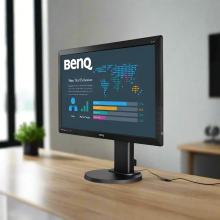
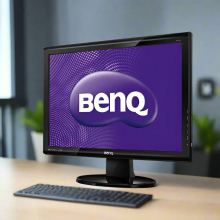
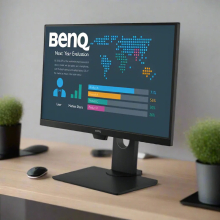
Product images are for illustrative purposes only and may contain AI-generated content. They do not represent the exact product that is subject to the cosmetic grading policy detailed here.
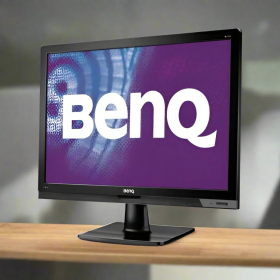
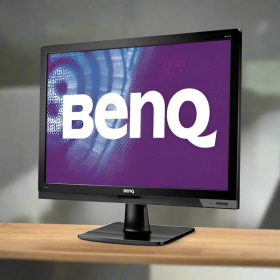


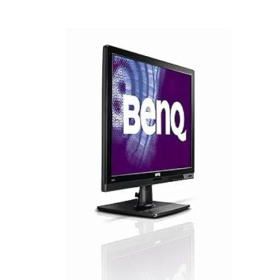
BenQ BL2201 22" Professional Monitor - Refurbished
Professionally refurbished 22-inch LED display featuring 1680x1050 native resolution, TN panel technology, dual connectivity through DVI-D and VGA inputs, integrated speakers, and VESA mounting compatibility. This certified business-grade monitor delivers reliable performance for office productivity and professional applications, backed by a 12-month warranty from Reboot IT. Please note: monitor does not include a stand and requires VESA-compatible mounting solution.
What Makes the BenQ BL2201 a Reliable Professional Monitor Choice?
- 16:10 Aspect Ratio Advantage: The 1680x1050 resolution provides 25% more vertical workspace than standard 16:9 monitors, making it ideal for document editing, spreadsheet analysis, and web development where extra screen height enhances productivity significantly.
- Fast TN Panel Response: With a rapid 5ms response time and TN panel technology, this monitor eliminates motion blur and ghosting during fast content changes, ensuring crisp text rendering and smooth scrolling through documents and presentations.
- Versatile Dual Connectivity: Both DVI-D digital and VGA analog inputs accommodate legacy systems and modern computers, making it perfect for mixed IT environments where different connection standards coexist across various workstations.
- Space-Efficient VESA Design: Standard VESA mount compatibility enables wall mounting or multi-monitor arms, maximising desk space while creating ergonomic viewing positions that reduce neck strain during extended work sessions.
- Built-in Audio Solution: Integrated speakers with headphone jack and line-in connectivity eliminate the need for separate desktop speakers, maintaining a clean workspace while providing essential audio functionality for video calls and multimedia content.
- Energy-Efficient LED Backlighting: Advanced LED technology with eco sensor automatically adjusts brightness based on ambient lighting conditions, reducing power consumption by up to 30% compared to traditional CCFL monitors while extending panel lifespan.
How Does the BenQ BL2201 Perform in Daily Professional Use?
In typical office environments, the BenQ BL2201 excels at displaying multiple documents simultaneously thanks to its 16:10 aspect ratio, which provides additional vertical screen real estate compared to standard widescreen monitors. The 1680x1050 native resolution delivers sharp text clarity for extended reading sessions, while the 250 cd/m² brightness ensures comfortable viewing even in well-lit offices without causing eye strain during 8-hour workdays.
For design and CAD applications, the monitor's TN panel technology provides consistent colour reproduction across the 22-inch display area, though users requiring precise colour matching for print work should consider professional colour calibration. The fast 5ms response time ensures smooth cursor movement and eliminates trailing during rapid screen updates, making it suitable for detailed technical drawing and precision work.
The dual input configuration proves particularly valuable in modern workplaces where users frequently switch between desktop computers via DVI-D and laptop connections through VGA. The integrated speakers handle video conferencing adequately, though external headphones via the built-in jack provide better audio quality for important client calls and virtual meetings.
Complete Technical Specifications
| Display Size | 22 inches diagonal widescreen |
| Native Resolution | 1680 x 1050 pixels (WSXGA+) |
| Aspect Ratio | 16:10 professional format |
| Panel Technology | TN (Twisted Nematic) with LED backlighting |
| Brightness | 250 cd/m² typical |
| Contrast Ratio | 1000:1 static |
| Response Time | 5 milliseconds typical (GTG) |
| Viewing Angles | 170° horizontal, 160° vertical |
| Colour Support | 16.7 million colours (8-bit) |
| Video Inputs | DVI-D (digital), VGA/D-Sub (analog) |
| Audio Features | Built-in stereo speakers, 3.5mm headphone jack, line-in |
| VESA Mount | 100mm x 100mm pattern compatible |
| Dimensions (WxHxD) | 517mm x 430mm x 191mm |
| Weight | 4.3 - 6.1 kg (varies by configuration) |
| Power Consumption | LED backlighting with eco sensor |
| Tilt Adjustment | Requires VESA mount (not included) |
| Stand Included | No - VESA mount or third-party stand required |
| Cables Included | Power cord (specific video cables may vary) |
Is the BenQ BL2201 Right for Your Needs?
|
✓ Best For: • Office productivity and document editing • Multi-monitor setups with VESA arms • CAD and technical drawing applications • Budget-conscious professional environments • Wall-mounted display installations |
✗ Not Recommended For: • Colour-critical graphic design work • Gaming requiring high refresh rates • 4K content consumption • Setups requiring desktop stands • Professional photo editing workflows |
Understanding Condition Grades and Monitor Quality
Our certified refurbished BenQ BL2201 monitors are graded using Reboot IT's transparent three-tier system, ensuring you know exactly what to expect. Each monitor undergoes comprehensive display testing including dead pixel checks, backlight uniformity assessment, and colour accuracy verification before grading assignment.
| A — Excellent | Pristine screen surface, minimal housing wear | Zero dead pixels guaranteed |
| B — Good | Minor keyboard marks, light scratches under 5cm | Maximum 1-3 dead pixels |
| C — Fair | Visible scratches, possible uneven backlight | Up to 5 dead pixels acceptable |
All monitors include power cables and undergo rigorous functionality testing regardless of cosmetic grade. Higher grades command premium pricing due to superior visual appearance suitable for client-facing environments.
Frequently Asked Questions About the BenQ BL2201
What warranty coverage is included with this monitor?
Every BenQ BL2201 comes with a comprehensive 12-month warranty provided by Reboot IT, covering all functional components including the display panel, backlighting system, input ports, and integrated speakers against manufacturing defects and premature failure.
Can I use this monitor without purchasing a separate stand?
No, this monitor requires either a VESA-compatible monitor arm or third-party desk stand as the original stand is not included. The monitor features standard 100mm x 100mm VESA mounting holes for universal compatibility.
Does the 1680x1050 resolution work well for modern applications?
Yes, the WSXGA+ resolution remains excellent for business applications, providing 25% more vertical space than 1680x945 widescreen formats. It's particularly effective for document editing, spreadsheets, and web development where vertical workspace is valuable.
What types of computers can connect to this monitor?
The dual input configuration supports both modern computers via DVI-D and older systems through VGA, making it compatible with virtually all desktops and laptops manufactured in the last 15 years.
How does the TN panel compare to IPS for office work?
TN panels offer faster response times and lower cost while providing adequate colour accuracy for text-based work. However, viewing angles are more limited than IPS, making them better suited for single-user workstations rather than collaborative viewing.
Are the built-in speakers suitable for video conferencing?
The integrated speakers handle basic audio needs including system sounds and video calls, though external headphones via the 3.5mm jack provide superior audio quality for important meetings and multimedia content.
What mounting options work best with this monitor?
Standard VESA monitor arms, wall mounts, and aftermarket desk stands are all compatible. Multi-monitor arms work particularly well for dual-screen setups, while wall mounting maximises desk space in compact workstations.
Warranty and After-Sales Support
Your BenQ BL2201 monitor includes a full 12-month warranty provided by Reboot IT, covering all display components, input connections, and integrated audio systems. This comprehensive warranty protects against backlight failure, dead pixel development (beyond grade specifications), input port malfunctions, and speaker defects.
Warranty claims are processed directly through Reboot IT's Australian support team, with replacement units available for qualifying defects. Our refurbishment process includes rigorous display panel testing and burn-in procedures to minimise post-purchase failures, giving you confidence in your investment.
As a certified refurbished product, this monitor has undergone professional restoration including deep cleaning, component testing, and quality verification to ensure reliable performance throughout the warranty period and beyond.
Upgradeability and Compatibility Options
While the BenQ BL2201 itself offers limited upgradeability as a complete display unit, its universal VESA mounting compatibility and dual input configuration provide excellent expansion flexibility. The monitor integrates seamlessly into multi-display setups using VESA monitor arms, supporting productivity workflows that benefit from extended desktop space across multiple screens.
For enhanced functionality, users can add external USB hubs, webcams, and audio equipment to create complete workstation solutions. The monitor's 16:10 aspect ratio pairs particularly well with ultrawide secondary displays or portrait-oriented secondary monitors for coding and document review applications. Both DVI-D and VGA inputs remain relevant for modern and legacy system integration, ensuring long-term compatibility as your computing needs evolve.
| Brand | BenQ |
| Bundle Description | Monitor only, no stand included |
| Colour | Black |
| Custom Bundle | No |
| Item Height | 391mm |
| Item Length | 65mm |
| Item Weight | 3.5kgs |
| Manufacturer Warranty | 1 Year |
| Maximum Resolution | 1680x1050 |
| Model | BL2201 |
| MPN | BL2201 |
| Screen Size | 22 in |
| Aspect Ratio | 16:10 |
| Brightness | 300 cd/m2 |
| Contrast Ratio | 1000:1 |
| Display Type | TN LCD |
| Energy Rating | None |
| Features | Anti-Glare|Low Blue Light|Flicker-free|LED Backlight |
| Product Line | BL Series |
| Refresh Rate | 60 Hz |
| Response Time | 5ms |
| Video Inputs | DVI-D|VGA D-Sub |
| Item Width | 501mm |
| Most Suitable For | Casual Computing |
| Stand/Base | No |
Refurbished Computers - Cosmetic Grading Guide
Our supplier's refurbished hardware is typically graded either "Excellent" or "Good", however, some legacy products were graded under a letter grading system (A, B, C). Please find the definitions for each grade below and contact us if you're uncertain of a device's grade.
Used Smartphone / Refurbished Mobile Phones
"Excellent" Grade
Devices in this category appear like new, with very minor wear. Expect light or fine scratches on the screen that are shallow enough not to catch on a fingernail. The edge around the glass is virtually flawless, save for possible light scratching around the power port. The back plate may show light/fine scratches, including on the Apple logo, with any discoloration being minimal.
"Good" Grade
These devices are characterized by being fully tested and functional even if they have body scratches, minor paint chips, or a small hairline crack on the screen. Screens are free from dead pixels but may exhibit slight scratching from moderate use.
Refurbished Desktops, Laptops and Monitors
"Excellent" Grade - Laptops
Reserved for units that show barely any signs of previous use, these laptops may exhibit very minor scuffing or abrasions, associated only with minimal standard use. The keyboards show light wear, and importantly, the screens are pristine, free from any scratches, cracks, chips, dead pixels, dark spots, discoloration, or blemishes.
"Excellent" Grade - Desktops
Desktop PCs in the "Excellent" grade category are free from deep scratches, cracks, paint chips, or any broken/missing pieces, ensuring a sleek and almost-new aesthetic.
"Excellent" Grade - Monitors
"Excellent" grade is reserved for units that show evidence of very little to no previous use. Any wear on an "Excellent" Display, including housing/frame and/or external surfaces (i.e. Frame) is associated with standard minimal use. "Excellent" units may have minor scuffing and / or minor abrasions on plastics with from standard light previous use."Excellent" Displays will feature no scratches, cracks, chips, dead pixels, dark spots, discoloration or blemishes. Units will only feature the standard minimal wear and tear that is associated with a used unit.
"Good" Grade - Laptops
"Good" laptops may feature one or several small dings or dents on covers and / or small paint chips on the surface or small hairline cracks in the bezel. Laptop screens may feature uneven light diffusion in screen and may feature subtle blemishes. "Good" Laptops will not feature cracks screens but may feature slight scratching, dead pixels or white spots on the screen.
"Good" Grade - Desktops
"Good" grade desktops may have light scratches on external body and may feature more excessive unit housing and/or external case wear than "Excellent" units, including wear on case / lid. "Good" PCs may feature one or several small dings or dents on covers and / or small paint chips on the surface.
"Good" Grade - Monitors
Displays in the "Good" grade have been fully tested and are functional but may include scratches on body, small paint chips, minor cracks on body, loose and/or wobbly bases. "Good" Display screens may feature uneven light diffusion in screen and may feature subtle to moderate blemishes. "Good" Displays will not feature cracks on screens but may feature slight scratching on screen surfaces from moderate use or wear, dead pixels or white spots on the screen.
Legacy letter grading
Used Smartphone / Refurbished Mobile Phones
A Grade
- No chips, scratches or cracks on the front glass and housing
- No missing or alternative parts
- No sign of liquid damage
- Battery cannot be swollen
B Grade – Same as A Grade except:
- May have light scuffs but no chips or cracks
- Light scratches on housing or front glass
C-Grade – Same as B Grade except:
- Unlimited long shallow scratches on the front glass
- No chips or cracks on the front glass
- Unlimited scratches, chips/dents on back cover housing and corners
- Minor cracks allowed
- Customized housing and aftermarket covers allowed
Refurbished Desktops, Laptops and Monitors
A-Grade
- Overall excellent to very good cosmetic condition. Some may be pristine, others may have light scratches or minor blemishes
- Laptops may have some shiny areas around the keyboard such as the space bar, touchpad or touchpad buttons
- Keyboard keys will be in excellent condition
- Laptop and monitor screens will be blemish free
- Cosmetic blemishes will not impact the overall functionality or performance of the device
B-Grade
- Will have some cosmetic blemishes that include scratches and/or other imperfections
- Minor scratches and dents on the housing
- Laptops may have shiny keys or shiny surfaces around the keyboard however all characters will be legible
- Laptop and monitors screens will have imperfections such as minor scratches, minor chips and/or white spots. There will be no cracking on the screen
- Have the same warranty as A Grade
- Pricing will be cheaper than A Grade
C-Grade
- Same as B-Grade except may have unlimited scratches/blemishes on the screen
- May have cracks/chips or dents on the housing
- Have the same warranty as A Grade
- Pricing will be cheaper than B Grade