Please allow ~4-6 weeks to dispatch from Australia for quality control. Only 4 devices per customer may be shipped each day, so orders placed for more than 4 devices will be shipped over multiple days.
Products containing Lithium-Ion batteries (laptops and smartphones) are subject to extra safety requirements and are experiencing further delays.
If you are ordering a device that does not include a Windows 11 licence as standard, please check Microsoft's minimum system requirements to confirm if it can be upgraded later should you wish to do so.
Product images are for illustrative purposes only and may contain AI-generated content. They do not represent the exact product that is subject to the cosmetic grading policy detailed here.


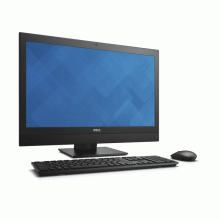
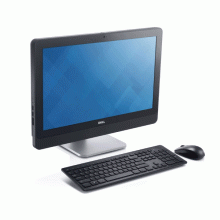
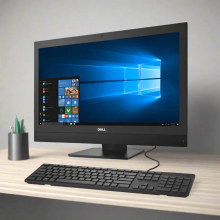
This certified refurbished OptiPlex 7440 combines Intel 6th generation Core i5-6600 quad-core performance with 8GB DDR4 memory and a 128GB SSD in a space-saving 23.8-inch all-in-one design. Featuring built-in Wi-Fi 5, Bluetooth connectivity, and integrated HD graphics, this business-grade desktop delivers reliable productivity for office environments and professional workflows, backed by a 12-month warranty from Reboot IT.
What Makes the Dell OptiPlex 7440 a Strong Business Desktop Choice?
- Intel Core i5-6600 Skylake Architecture: 6th generation quad-core processor with 3.3GHz base clock and Turbo Boost up to 3.9GHz delivers responsive multitasking performance for business applications, video conferencing, and productivity software without thermal throttling in the all-in-one chassis.
- Space-Efficient All-in-One Design: Integrates computer components behind a 23.8-inch Full HD display, eliminating desktop tower clutter while providing professional aesthetics suitable for reception areas, open offices, and workspace-limited environments.
- Enterprise-Grade Build Quality: Originally deployed in corporate and government environments, the OptiPlex 7440 features robust construction with business-class components designed for continuous operation and extended service life compared to consumer desktop models.
- Wi-Fi 5 and Modern Connectivity: Built-in Intel 8260ac wireless adapter provides 802.11ac Wi-Fi speeds up to 867Mbps plus Bluetooth 4.2 for seamless network integration and peripheral connectivity without requiring additional adapters or dongles.
- SSD Performance Advantage: The 128GB SATA SSD delivers significantly faster boot times (typically under 15 seconds), instant application launches, and improved system responsiveness compared to traditional hard drive configurations, enhancing daily productivity workflows.
- Windows 10 Pro Licensing: Includes genuine Microsoft Windows 10 Professional edition with domain join capabilities, BitLocker encryption support, and advanced security features essential for business deployment and IT management.
How Does the Dell OptiPlex 7440 Perform in Daily Business Use?
The Dell OptiPlex 7440 excels in typical office computing scenarios, handling Microsoft Office 365 applications, email management through Outlook, web browsing with 10-15 Chrome tabs, and video conferencing platforms like Teams or Zoom simultaneously without performance degradation. The 8GB DDR4 memory provides adequate headroom for multitasking between accounting software such as MYOB or Sage, PDF editing, and document collaboration tools.
For professional applications, this system efficiently runs Adobe Acrobat Pro, basic photo editing in Photoshop Elements, presentation software, and cloud-based business applications. The integrated Intel HD Graphics 530 supports dual monitor configurations for extended desktop productivity, making it suitable for data analysis, financial modelling, and administrative workflows that benefit from additional screen real estate.
The all-in-one form factor particularly benefits reception areas, customer service counters, and hot-desking environments where space efficiency and professional appearance matter. Boot times average 12-15 seconds thanks to SSD storage, while application launch times for Office programs typically occur within 2-3 seconds, maintaining user productivity throughout the workday.
Complete Technical Specifications
| Processor | Intel Core i5-6600 (6th Gen Skylake, 4 cores, 3.3GHz base, up to 3.9GHz Turbo, 6MB cache, 65W TDP) |
| Memory | 8GB DDR4-2133 SODIMM (single channel, expandable to 16GB maximum) |
| Storage | 128GB SATA SSD (SanDisk X400 series, 2.5" form factor) |
| Display | 23.8" Full HD (1920×1080) IPS LCD panel, non-touch, integrated into all-in-one chassis |
| Graphics | Intel HD Graphics 530 (integrated, shared system memory, supports DirectX 12, 4K video decode) |
| Wireless | Wi-Fi 5 (802.11ac Intel 8260 adapter, dual-band 2.4GHz/5GHz, up to 867Mbps) + Bluetooth 4.2 |
| USB Ports | Multiple USB 3.0 and USB 2.0 ports (exact count varies by configuration) |
| Video Output | DisplayPort and VGA outputs for external monitor support |
| Ethernet | Gigabit Ethernet (10/100/1000 Mbps) integrated network adapter |
| Audio | Integrated speakers, 3.5mm headphone/microphone combo jack, line-out |
| Optical Drive | DVD-ROM drive (varies by configuration) |
| Webcam | Integrated HD webcam with microphone (location varies by model) |
| Stand | Height-adjustable stand with tilt adjustment |
| Operating System | Windows 10 Professional (64-bit, activated and licensed) |
| Power Supply | Internal power adapter (wattage varies by configuration) |
| Dimensions | Approximately 560mm W × 420mm H × 184mm D (with stand) |
| Weight | Approximately 8-9kg (varies by configuration and accessories) |
Is the Dell OptiPlex 7440 Right for Your Needs?
|
✓ Best For: • Office productivity and business applications • Space-constrained work environments • Reception areas and customer-facing positions • Basic video conferencing and collaboration • Document processing and data entry tasks |
✗ Not Recommended For: • Gaming or 3D graphics-intensive applications • Professional video editing or CAD workstations • High-performance computing or data analysis • Multiple monitor setups beyond basic dual-display • Storage-heavy applications requiring 500GB+ capacity |
Understanding Condition Grades and Battery Health
As a desktop all-in-one system, the Dell OptiPlex 7440 does not contain an internal battery for portable operation. However, Reboot IT applies the same rigorous grading standards to assess overall cosmetic condition and component health. Our three-tier system ensures complete transparency about what you receive.
| A — Excellent | Minimal to no visible wear, scratches, or scuffs | All components tested and verified at optimal performance |
| B — Good | Light cosmetic wear, minor scratches that don't affect functionality | Full functionality verified with normal component wear patterns |
| C — Fair | Moderate cosmetic wear, visible scratches but structurally sound | Complete functionality with components showing acceptable wear |
Every OptiPlex 7440 undergoes comprehensive testing of display quality, USB ports, wireless connectivity, and all integrated components before certification. Our 30-day satisfaction guarantee applies to all functional aspects of the system.
Frequently Asked Questions About the Dell OptiPlex 7440
What warranty coverage is included with this OptiPlex 7440?
Every Dell OptiPlex 7440 includes a comprehensive 12-month warranty provided by Reboot IT, covering all hardware components, display functionality, and system performance. This includes free repair or replacement for any defects that arise during normal business use.
Can I upgrade the memory and storage in this all-in-one system?
Yes, the OptiPlex 7440 supports memory upgrades up to 16GB maximum capacity using DDR4 SODIMM modules. Storage can potentially be upgraded to a larger SSD, though this requires technical expertise due to the all-in-one chassis design.
Does this system support external monitors for dual-display setups?
Absolutely. The OptiPlex 7440 includes DisplayPort and VGA outputs, allowing you to connect additional monitors alongside the integrated 23.8-inch display. The Intel HD Graphics 530 supports multiple monitor configurations for extended desktop productivity.
Is Windows 11 upgrade supported on this 6th generation Core i5 system?
Unfortunately, the OptiPlex 7440 with 6th generation Intel Core i5-6600 does not meet Microsoft's official Windows 11 hardware requirements, which mandate 8th generation Intel processors or newer. The system remains fully supported with Windows 10 Professional through October 2025.
What business applications run well on this OptiPlex configuration?
The OptiPlex 7440 handles Microsoft Office 365, accounting software like MYOB and Sage, web-based applications, PDF editing, basic image editing, video conferencing platforms, and standard business database applications with excellent performance for typical office workloads.
How does the refurbishment process ensure reliability and quality?
Reboot IT's Verified Refurb process includes comprehensive diagnostic testing of all components, professional cleaning, replacement of any defective parts, fresh Windows installation, and multi-point quality verification. Each system undergoes the same rigorous standards we've maintained since 2001.
Warranty and After-Sales Support
Your Dell OptiPlex 7440 is protected by a comprehensive 12-month warranty provided by Reboot IT, Australia's trusted refurbished technology specialist since 2001. This warranty covers all hardware components, system functionality, and display performance against defects arising during normal business use.
Warranty claims are processed efficiently through our dedicated support team, with repair or replacement services handled directly by our certified technicians. As a Microsoft Authorised Refurbisher, Reboot IT maintains the technical expertise and genuine parts access necessary to support your OptiPlex system throughout the warranty period.
Our rigorous Verified Refurb process ensures that every system meets the same reliability standards we've delivered to over 100,000 satisfied customers across Australia, combining professional restoration with comprehensive testing for complete peace of mind.
Upgradeability and Compatibility Options
The Dell OptiPlex 7440 supports memory expansion up to 16GB maximum capacity using DDR4-2133 SODIMM modules, allowing users to double the current 8GB configuration for enhanced multitasking performance. The single memory slot design requires replacement rather than addition when upgrading.
Storage upgrades are technically possible but require careful disassembly of the all-in-one chassis to access the internal 2.5-inch SATA bay. Larger capacity SSDs can improve storage space, though the current 128GB configuration suits most business applications effectively. The integrated display, wireless adapter, and core components are not user-serviceable.
While this 6th generation Intel system does not qualify for Windows 11 upgrade due to TPM and processor requirements, it remains fully supported with Windows 10 Professional through Microsoft's extended support timeline, ensuring continued security updates and business compatibility through October 2025.
Built-in Webcam |
| Touch |
| Hardware Connectivity | HDMI,USB 3.0,DisplayPort |
| Features | Built-in Camera,Optical Drive |
| Graphics Processing Type | Integrated/On-Board Graphics |
| Chipset | Q270 |
| Condition | A |
| Model | Optiplex 7440 AIO |
| Type | All In One |
| Release Date | Q3'15 |
| Processor Model | 6600 |
| Storage Type | HDD (Hard Disk Drive) |
| Optical Drive | None |
| Operating System Edition | Professional |
| Memory Type | DDR4 SODIMM |
| Cores | 4 |
| Other Software | Free Antivirus,Open Office |
| Brand | Dell |
| L2 Cache | 6 MB |
| Form Factor | All-in-One |
| Product Dimensions | 575.2mm x 392.9mm x 63.4mm |
| Part Number | 06C5 |
| Screen Size | 23.0" |
| Operating System | Windows 10 |
| Processor Type | I5 6th Gen |
| Product Weight | 7.21kgs |
| Max Turbo Speed | 3.90 GHz |
| Processor Speed | 3.30GHz |
| Max.ram | 16GB |
| Warranty | 3 months |
| Hard Drive Capacity | 250GB |
| GPU | INTEL HD 530 GRAPHICS |
| Memory | 8GB |
| Audio Output | Integrated |
| Product Line | Optiplex |
Refurbished Computers - Cosmetic Grading Guide
Our supplier's refurbished hardware is typically graded either "Excellent" or "Good", however, some legacy products were graded under a letter grading system (A, B, C). Please find the definitions for each grade below and contact us if you're uncertain of a device's grade.
Used Smartphone / Refurbished Mobile Phones
"Excellent" Grade
Devices in this category appear like new, with very minor wear. Expect light or fine scratches on the screen that are shallow enough not to catch on a fingernail. The edge around the glass is virtually flawless, save for possible light scratching around the power port. The back plate may show light/fine scratches, including on the Apple logo, with any discoloration being minimal.
"Good" Grade
These devices are characterized by being fully tested and functional even if they have body scratches, minor paint chips, or a small hairline crack on the screen. Screens are free from dead pixels but may exhibit slight scratching from moderate use.
Refurbished Desktops, Laptops and Monitors
"Excellent" Grade - Laptops
Reserved for units that show barely any signs of previous use, these laptops may exhibit very minor scuffing or abrasions, associated only with minimal standard use. The keyboards show light wear, and importantly, the screens are pristine, free from any scratches, cracks, chips, dead pixels, dark spots, discoloration, or blemishes.
"Excellent" Grade - Desktops
Desktop PCs in the "Excellent" grade category are free from deep scratches, cracks, paint chips, or any broken/missing pieces, ensuring a sleek and almost-new aesthetic.
"Excellent" Grade - Monitors
"Excellent" grade is reserved for units that show evidence of very little to no previous use. Any wear on an "Excellent" Display, including housing/frame and/or external surfaces (i.e. Frame) is associated with standard minimal use. "Excellent" units may have minor scuffing and / or minor abrasions on plastics with from standard light previous use."Excellent" Displays will feature no scratches, cracks, chips, dead pixels, dark spots, discoloration or blemishes. Units will only feature the standard minimal wear and tear that is associated with a used unit.
"Good" Grade - Laptops
"Good" laptops may feature one or several small dings or dents on covers and / or small paint chips on the surface or small hairline cracks in the bezel. Laptop screens may feature uneven light diffusion in screen and may feature subtle blemishes. "Good" Laptops will not feature cracks screens but may feature slight scratching, dead pixels or white spots on the screen.
"Good" Grade - Desktops
"Good" grade desktops may have light scratches on external body and may feature more excessive unit housing and/or external case wear than "Excellent" units, including wear on case / lid. "Good" PCs may feature one or several small dings or dents on covers and / or small paint chips on the surface.
"Good" Grade - Monitors
Displays in the "Good" grade have been fully tested and are functional but may include scratches on body, small paint chips, minor cracks on body, loose and/or wobbly bases. "Good" Display screens may feature uneven light diffusion in screen and may feature subtle to moderate blemishes. "Good" Displays will not feature cracks on screens but may feature slight scratching on screen surfaces from moderate use or wear, dead pixels or white spots on the screen.
Legacy letter grading
Used Smartphone / Refurbished Mobile Phones
A Grade
- No chips, scratches or cracks on the front glass and housing
- No missing or alternative parts
- No sign of liquid damage
- Battery cannot be swollen
B Grade – Same as A Grade except:
- May have light scuffs but no chips or cracks
- Light scratches on housing or front glass
C-Grade – Same as B Grade except:
- Unlimited long shallow scratches on the front glass
- No chips or cracks on the front glass
- Unlimited scratches, chips/dents on back cover housing and corners
- Minor cracks allowed
- Customized housing and aftermarket covers allowed
Refurbished Desktops, Laptops and Monitors
A-Grade
- Overall excellent to very good cosmetic condition. Some may be pristine, others may have light scratches or minor blemishes
- Laptops may have some shiny areas around the keyboard such as the space bar, touchpad or touchpad buttons
- Keyboard keys will be in excellent condition
- Laptop and monitor screens will be blemish free
- Cosmetic blemishes will not impact the overall functionality or performance of the device
B-Grade
- Will have some cosmetic blemishes that include scratches and/or other imperfections
- Minor scratches and dents on the housing
- Laptops may have shiny keys or shiny surfaces around the keyboard however all characters will be legible
- Laptop and monitors screens will have imperfections such as minor scratches, minor chips and/or white spots. There will be no cracking on the screen
- Have the same warranty as A Grade
- Pricing will be cheaper than A Grade
C-Grade
- Same as B-Grade except may have unlimited scratches/blemishes on the screen
- May have cracks/chips or dents on the housing
- Have the same warranty as A Grade
- Pricing will be cheaper than B Grade