Please allow ~4-6 weeks to dispatch from Australia for quality control. Only 4 devices per customer may be shipped each day, so orders placed for more than 4 devices will be shipped over multiple days.
Products containing Lithium-Ion batteries (laptops and smartphones) are subject to extra safety requirements and are experiencing further delays.
If you are ordering a device that does not include a Windows 11 licence as standard, please check Microsoft's minimum system requirements to confirm if it can be upgraded later should you wish to do so.
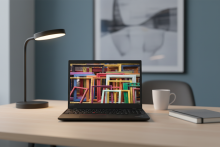
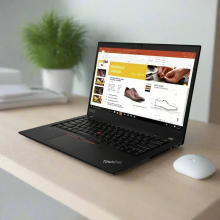
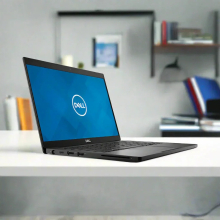
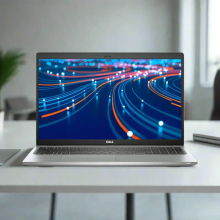
Product images are for illustrative purposes only and may contain AI-generated content. They do not represent the exact product that is subject to the cosmetic grading policy detailed here.


.rbt-desc { font-family: -apple-system, BlinkMacSystemFont, 'Segoe UI', Arial, sans-serif; font-size: 14px; line-height: 1.7; color: #222; }
.rbt-desc .header-block { border-bottom: 3px solid #0060a9; margin-bottom: 28px; padding-bottom: 16px; }
.rbt-desc h1 { color: #0060a9; font-size: 22px; margin: 0 0 8px 0; font-weight: bold; overflow-wrap: break-word; text-wrap: balance; }
.rbt-desc .summary { margin: 0; font-size: 14px; color: #555; }
.rbt-desc h2 { color: #0060a9; font-size: 17px; margin: 30px 0 12px 0; font-weight: bold; padding-bottom: 7px; border-bottom: 1px solid #e0e0e0; overflow-wrap: break-word; text-wrap: balance; }
.rbt-desc p { margin: 0 0 13px 0; }
.rbt-desc ul { margin: 0 0 13px 0; padding-left: 22px; }
.rbt-desc li { margin-bottom: 10px; line-height: 1.65; }
.rbt-desc table { width: 100%; border-collapse: collapse; margin: 14px 0 22px 0; }
.rbt-desc .specs-table th { background-color: #0060a9; color: #fff; padding: 10px 12px; text-align: left; font-weight: bold; font-size: 13px; letter-spacing: 0.3px; }
.rbt-desc .specs-table td { padding: 9px 12px; border: 1px solid #e0e0e0; vertical-align: top; }
.rbt-desc .specs-table tr:nth-child(even) { background-color: #f5f8fb; }
.rbt-desc .specs-table td:first-child { font-weight: bold; width: 32%; background-color: #eef2f7; color: #2c3e60; }
.rbt-desc .comparison-table td { width: 50%; padding: 16px 18px; vertical-align: top; border: 1px solid #e0e0e0; line-height: 1.8; }
.rbt-desc .best-for { background-color: #edf7ee; }
.rbt-desc .not-for { background-color: #fdf0ee; }
.rbt-desc .condition-table th { background-color: #0060a9; color: #fff; padding: 10px 12px; text-align: left; font-size: 13px; letter-spacing: 0.3px; }
.rbt-desc .condition-table td { padding: 9px 12px; border: 1px solid #e0e0e0; vertical-align: middle; }
.rbt-desc .condition-table tr:nth-child(even) { background-color: #f5f8fb; }
.rbt-desc .grade-badge { display: inline-block; padding: 3px 10px; border-radius: 12px; font-weight: bold; font-size: 12px; letter-spacing: 0.3px; white-space: nowrap; }
.rbt-desc .grade-a { background-color: #d4edda; color: #1a5c2e; }
.rbt-desc .grade-b { background-color: #fff3cd; color: #7a5000; }
.rbt-desc .grade-c { background-color: #e9ecef; color: #4a4a4a; }
.rbt-desc .warranty-block { background-color: #f5f8fb; padding: 16px 18px; border-left: 4px solid #0060a9; margin: 16px 0 22px 0; }
.rbt-desc .warranty-block p { margin: 0 0 10px 0; }
.rbt-desc .warranty-block p:last-child { margin: 0; }
.rbt-desc .faq-q { font-weight: bold; color: #0060a9; margin: 22px 0 5px 0; font-size: 14px; }
.rbt-desc .faq-a { margin: 0 0 4px 0; }
Professional-grade refurbished laptop featuring 11th generation Intel Core i5 processor, business-class durability, and comprehensive connectivity options. Certified by Reboot IT with complete testing, backed by a 12-month warranty. Perfect for business professionals, remote workers, and students demanding reliable performance in a portable, secure computing platform. Includes Windows 11 Pro, Wi-Fi 6E connectivity, and ThinkPad's legendary keyboard experience. Rigorously tested to MIL-STD-810H standards for military-grade reliability.
What Makes the Lenovo ThinkPad L14 a Strong Business Choice?
- 11th Generation Intel Core i5-1135G7 Processor: Tiger Lake architecture delivers up to 4.2GHz boost speeds with 4 cores and 8 threads, offering 20% better single-core performance compared to 10th generation processors. Ideal for demanding business applications and multitasking scenarios.
- Intel Iris Xe Graphics Integration: Significantly more powerful than standard UHD graphics, capable of handling light creative work, multiple 4K displays, and smooth video conferencing. Up to 2x faster graphics performance than previous generation integrated solutions.
- MIL-STD-810H Military Testing: Survives 12 different durability tests including temperature extremes, humidity, vibration, and shock resistance. Built to withstand harsh environments and daily business travel demands.
- Enterprise-Grade Security Features: TPM 2.0 chip provides hardware-level security for BitLocker encryption, secure boot processes, and credential protection. Essential for businesses handling sensitive data and regulatory compliance requirements.
- ThinkPad Legendary Keyboard: Backlit keys with excellent tactile feedback, spill-resistant design, and TrackPoint navigation system. Consistently rated as one of the best laptop keyboards for extended typing sessions and professional productivity.
- Advanced Connectivity Suite: Wi-Fi 6E AX210 provides up to 3x faster wireless speeds compared to Wi-Fi 5, plus Bluetooth 5.1, Gigabit Ethernet, and comprehensive port selection including USB-C with Power Delivery and DisplayPort alternate mode.
How Does the Lenovo ThinkPad L14 Perform in Daily Business Use?
The ThinkPad L14 Gen 2 excels in professional environments, effortlessly handling simultaneous business applications like Microsoft Office 365, Teams video conferencing, and browser-based productivity tools. The 11th generation i5-1135G7 processor manages 15+ Chrome tabs, Outlook, Excel spreadsheets, and PowerPoint presentations without performance degradation. During video conferences, the Intel Iris Xe graphics ensure smooth 1080p streaming while running screen sharing and recording applications simultaneously.
For mobile professionals, the laptop's 1.61kg weight and robust build quality make it ideal for frequent travel. The display's anti-glare coating reduces eye strain during long work sessions, while the backlit keyboard enables productive work in low-light environments like aircraft cabins or dimly lit conference rooms. Battery life typically ranges 6-8 hours for mixed business use, sufficient for most workdays with moderate power management.
Students and remote workers benefit from the comprehensive port selection, allowing connection of external monitors, USB peripherals, and wired internet simultaneously without dongles. The HD 720p webcam provides clear video quality for online lectures and remote meetings, while the dual-microphone array ensures clear audio pickup during presentations and calls.
Complete Technical Specifications
| Processor | Intel Core i5-1135G7 (4 cores, 8 threads, 2.4GHz base, up to 4.2GHz boost, 8MB cache) |
| Memory | 8GB DDR4-3200MHz SODIMM (Maximum 64GB, 2 slots available) |
| Storage | 256GB PCIe NVMe SSD (M.2 2280) |
| Display | 14.0" FHD (1920x1080) IPS anti-glare, 250 nits brightness |
| Graphics | Intel Iris Xe Graphics G7 (96 execution units, integrated) |
| Operating System | Windows 11 Pro (64-bit) |
| USB-A Ports | 2x USB 3.2 Gen 1 Type-A (1x Always-On), 1x USB 2.0 Type-A |
| USB-C Ports | 1x USB-C 3.2 Gen 2 (Power Delivery, DisplayPort Alt Mode) |
| Video Output | HDMI 2.0, USB-C DisplayPort Alt Mode |
| Ethernet | RJ-45 Gigabit Ethernet (10/100/1000) |
| Wireless | Intel Wi-Fi 6E AX210 (2x2 802.11ax), Bluetooth 5.1 or above |
| Audio | 3.5mm headphone/microphone combo jack, dual speakers |
| Card Reader | microSD card slot |
| Webcam | HD 720p camera with privacy shutter |
| Security | TPM 2.0 chip, Kensington lock slot |
| Keyboard | Full-size backlit keyboard with TrackPoint |
| Weight | 1.61kg (3.55 lbs) |
| Dimensions | 323.4mm x 218.9mm x 18.9mm (L x W x H) |
| Chassis Material | PPS plastic construction |
| Durability | MIL-STD-810H tested (12 military-grade tests) |
| Model Number | 20X100FPAU (Type 20X1/20X2) |
Is the Lenovo ThinkPad L14 Right for Your Needs?
|
✓ Best For: • Business professionals requiring reliable daily computing • Remote workers needing video conferencing capabilities • Students in business, accounting, or general studies programs • Mobile professionals who travel frequently • Small businesses seeking cost-effective fleet deployment |
✗ Not Recommended For: • Gaming enthusiasts or 3D graphics professionals • Video editors working with 4K footage regularly • CAD designers requiring dedicated graphics cards • Users needing more than 8 hours continuous battery life • Heavy multimedia content creators |
Understanding Condition Grades and Battery Health
Reboot IT uses a transparent three-tier grading system to ensure you know exactly what to expect from your refurbished ThinkPad L14. Each grade represents different cosmetic conditions, but all devices undergo the same rigorous functional testing and certification process. Battery health varies by grade, with specific capacity thresholds maintained for reliable performance.
| A — Excellent | Minimal wear, no visible scratches or marks | 70%+ of original capacity |
| B — Good | Light wear, minor cosmetic imperfections | 50-70% of original capacity |
| C — Fair | Moderate wear, visible usage signs | Under 50% of original capacity |
All batteries are covered by a 30-day warranty as they are consumable components subject to natural degradation. Grade A devices meet Reboot IT's Verified Refurb standard requiring minimum 70% battery capacity, ensuring reliable all-day performance for most business applications.
Frequently Asked Questions About the Lenovo ThinkPad L14
What warranty is included with this refurbished ThinkPad L14?
Every ThinkPad L14 comes with a comprehensive 12-month warranty provided by Reboot IT, covering all components and functionality. Additionally, the battery has a separate 30-day warranty due to its consumable nature.
How does battery health affect daily usage on different grades?
Grade A units with 70%+ capacity typically provide 5-6 hours of business use, Grade B units with 50-70% capacity offer 3-4 hours, while Grade C units under 50% capacity may require more frequent charging or battery replacement for extended mobile use.
Is this ThinkPad L14 suitable for running Windows 11 long-term?
Yes, the 11th generation i5-1135G7 processor with TPM 2.0 chip fully supports Windows 11 Pro and meets all hardware requirements for future updates and security features throughout Microsoft's support lifecycle.
Can this laptop handle video conferencing and screen sharing simultaneously?
Absolutely. The Intel Iris Xe graphics and 8GB RAM easily handle Microsoft Teams, Zoom, or Skype calls with screen sharing, document presentation, and background applications running concurrently without performance issues.
What ports are available for connecting external devices?
The ThinkPad L14 includes three USB-A ports (2x USB 3.2, 1x USB 2.0), one USB-C with Power Delivery, HDMI 2.0 output, Gigabit Ethernet, 3.5mm audio jack, and microSD card reader for comprehensive connectivity options.
Does the refurbishment process include any hardware upgrades?
Reboot IT's refurbishment focuses on thorough testing, cleaning, and restoration to original specifications. The device comes with factory-installed 8GB RAM and 256GB SSD, though both components are user-upgradeable if additional capacity is needed.
How does Wi-Fi 6E connectivity benefit business users?
Wi-Fi 6E provides significantly faster speeds, lower latency, and reduced congestion in busy office environments. You'll experience improved video call quality, faster file transfers, and more reliable connections in conference rooms and co-working spaces.
Warranty and After-Sales Support
Your refurbished Lenovo ThinkPad L14 is protected by a comprehensive 12-month warranty provided by Reboot IT, Australia's trusted refurbished computer specialist since 2001. This warranty covers all hardware components, functionality, and performance issues, giving you complete confidence in your purchase.
The warranty includes free repair or replacement for any manufacturing defects or component failures during the coverage period. Battery health is separately covered under a 30-day warranty, reflecting its status as a consumable component. Warranty claims are processed efficiently through Reboot IT's Australian-based support team.
Every device undergoes Reboot IT's rigorous Verified Refurb certification process, including comprehensive diagnostics, component testing, and quality assurance checks. This ensures you receive a laptop that performs like new while supporting environmental sustainability through responsible technology reuse.
Upgradeability and Compatibility Options
The ThinkPad L14 Gen 2 offers excellent upgrade potential for extending its useful life. Memory can be upgraded to a maximum of 64GB using two DDR4-3200 SODIMM slots, allowing significant performance improvements for demanding applications. The M.2 2280 PCIe SSD slot supports larger capacity drives up to 2TB, providing ample room for expansion as storage needs grow.
Windows 11 compatibility is guaranteed through the TPM 2.0 chip and 11th generation processor, ensuring long-term OS support and security updates. The laptop supports external displays up to 4K resolution via HDMI 2.0 or USB-C DisplayPort Alt Mode, making it suitable for dual-monitor productivity setups. All standard business peripherals including docking stations, printers, and USB devices are fully compatible through the comprehensive port selection.
Bluetooth|Built-in Webcam|Wi-Fi |
| Brand | Lenovo |
| Bundle Description | None |
| Colour | Black |
| Connectivity | Wi-Fi|Bluetooth|Ethernet |
| Custom Bundle | No |
| Features | None |
| GPU | Intel Comet Lake-U GT2 (UHD) Graphics |
| Graphics Processing Type | Laptop |
| Hard Drive Capacity | 256GB |
| Item Height | 18.9mm |
| Item Length | 324mm |
| Item Weight | 1.36kgs |
| Item Width | 225mm |
| Manufacturer Warranty | 1 Year |
| Maximum RAM Capacity | 16 GB |
| Model | ThinkPad L14 Gen 1 |
| Most Suitable For | Casual Computing|Office|Graphic Design |
| Processor Model | Intel Core i5-10210U |
| Operating System | Windows 11 Pro |
| Processor | Intel Core i5 10th Gen. |
| Processor Speed | 1.60GHz |
| RAM Size | 16GB |
| Release Year | 2020 |
| Screen Size | 14.0 in |
| Series | ThinkPad |
| SSD Capacity | 256GB |
| Storage Type | SSD (Solid State Drive) |
| Type | Laptop |
| Part Number | PF2NA1RK |
| Release Date | None |
| Max Turbo Speed | None |
| Cores | None |
| L2 Cache | None |
| RAM Type | DDR4 |
| Optical Drive | None |
| Maximum Resolution | 1920x1080 |
| Webcam | Yes |
| Audio Output | Integrated |
Refurbished Computers - Cosmetic Grading Guide
Our supplier's refurbished hardware is typically graded either "Excellent" or "Good", however, some legacy products were graded under a letter grading system (A, B, C). Please find the definitions for each grade below and contact us if you're uncertain of a device's grade.
Used Smartphone / Refurbished Mobile Phones
"Excellent" Grade
Devices in this category appear like new, with very minor wear. Expect light or fine scratches on the screen that are shallow enough not to catch on a fingernail. The edge around the glass is virtually flawless, save for possible light scratching around the power port. The back plate may show light/fine scratches, including on the Apple logo, with any discoloration being minimal.
"Good" Grade
These devices are characterized by being fully tested and functional even if they have body scratches, minor paint chips, or a small hairline crack on the screen. Screens are free from dead pixels but may exhibit slight scratching from moderate use.
Refurbished Desktops, Laptops and Monitors
"Excellent" Grade - Laptops
Reserved for units that show barely any signs of previous use, these laptops may exhibit very minor scuffing or abrasions, associated only with minimal standard use. The keyboards show light wear, and importantly, the screens are pristine, free from any scratches, cracks, chips, dead pixels, dark spots, discoloration, or blemishes.
"Excellent" Grade - Desktops
Desktop PCs in the "Excellent" grade category are free from deep scratches, cracks, paint chips, or any broken/missing pieces, ensuring a sleek and almost-new aesthetic.
"Excellent" Grade - Monitors
"Excellent" grade is reserved for units that show evidence of very little to no previous use. Any wear on an "Excellent" Display, including housing/frame and/or external surfaces (i.e. Frame) is associated with standard minimal use. "Excellent" units may have minor scuffing and / or minor abrasions on plastics with from standard light previous use."Excellent" Displays will feature no scratches, cracks, chips, dead pixels, dark spots, discoloration or blemishes. Units will only feature the standard minimal wear and tear that is associated with a used unit.
"Good" Grade - Laptops
"Good" laptops may feature one or several small dings or dents on covers and / or small paint chips on the surface or small hairline cracks in the bezel. Laptop screens may feature uneven light diffusion in screen and may feature subtle blemishes. "Good" Laptops will not feature cracks screens but may feature slight scratching, dead pixels or white spots on the screen.
"Good" Grade - Desktops
"Good" grade desktops may have light scratches on external body and may feature more excessive unit housing and/or external case wear than "Excellent" units, including wear on case / lid. "Good" PCs may feature one or several small dings or dents on covers and / or small paint chips on the surface.
"Good" Grade - Monitors
Displays in the "Good" grade have been fully tested and are functional but may include scratches on body, small paint chips, minor cracks on body, loose and/or wobbly bases. "Good" Display screens may feature uneven light diffusion in screen and may feature subtle to moderate blemishes. "Good" Displays will not feature cracks on screens but may feature slight scratching on screen surfaces from moderate use or wear, dead pixels or white spots on the screen.
Legacy letter grading
Used Smartphone / Refurbished Mobile Phones
A Grade
- No chips, scratches or cracks on the front glass and housing
- No missing or alternative parts
- No sign of liquid damage
- Battery cannot be swollen
B Grade – Same as A Grade except:
- May have light scuffs but no chips or cracks
- Light scratches on housing or front glass
C-Grade – Same as B Grade except:
- Unlimited long shallow scratches on the front glass
- No chips or cracks on the front glass
- Unlimited scratches, chips/dents on back cover housing and corners
- Minor cracks allowed
- Customized housing and aftermarket covers allowed
Refurbished Desktops, Laptops and Monitors
A-Grade
- Overall excellent to very good cosmetic condition. Some may be pristine, others may have light scratches or minor blemishes
- Laptops may have some shiny areas around the keyboard such as the space bar, touchpad or touchpad buttons
- Keyboard keys will be in excellent condition
- Laptop and monitor screens will be blemish free
- Cosmetic blemishes will not impact the overall functionality or performance of the device
B-Grade
- Will have some cosmetic blemishes that include scratches and/or other imperfections
- Minor scratches and dents on the housing
- Laptops may have shiny keys or shiny surfaces around the keyboard however all characters will be legible
- Laptop and monitors screens will have imperfections such as minor scratches, minor chips and/or white spots. There will be no cracking on the screen
- Have the same warranty as A Grade
- Pricing will be cheaper than A Grade
C-Grade
- Same as B-Grade except may have unlimited scratches/blemishes on the screen
- May have cracks/chips or dents on the housing
- Have the same warranty as A Grade
- Pricing will be cheaper than B Grade